Legal work, efficiently
Contract editor optimized for drafting with AI.
No setup. Just sign up, describe your contract, and get a ready-to-edit draft in minutes.
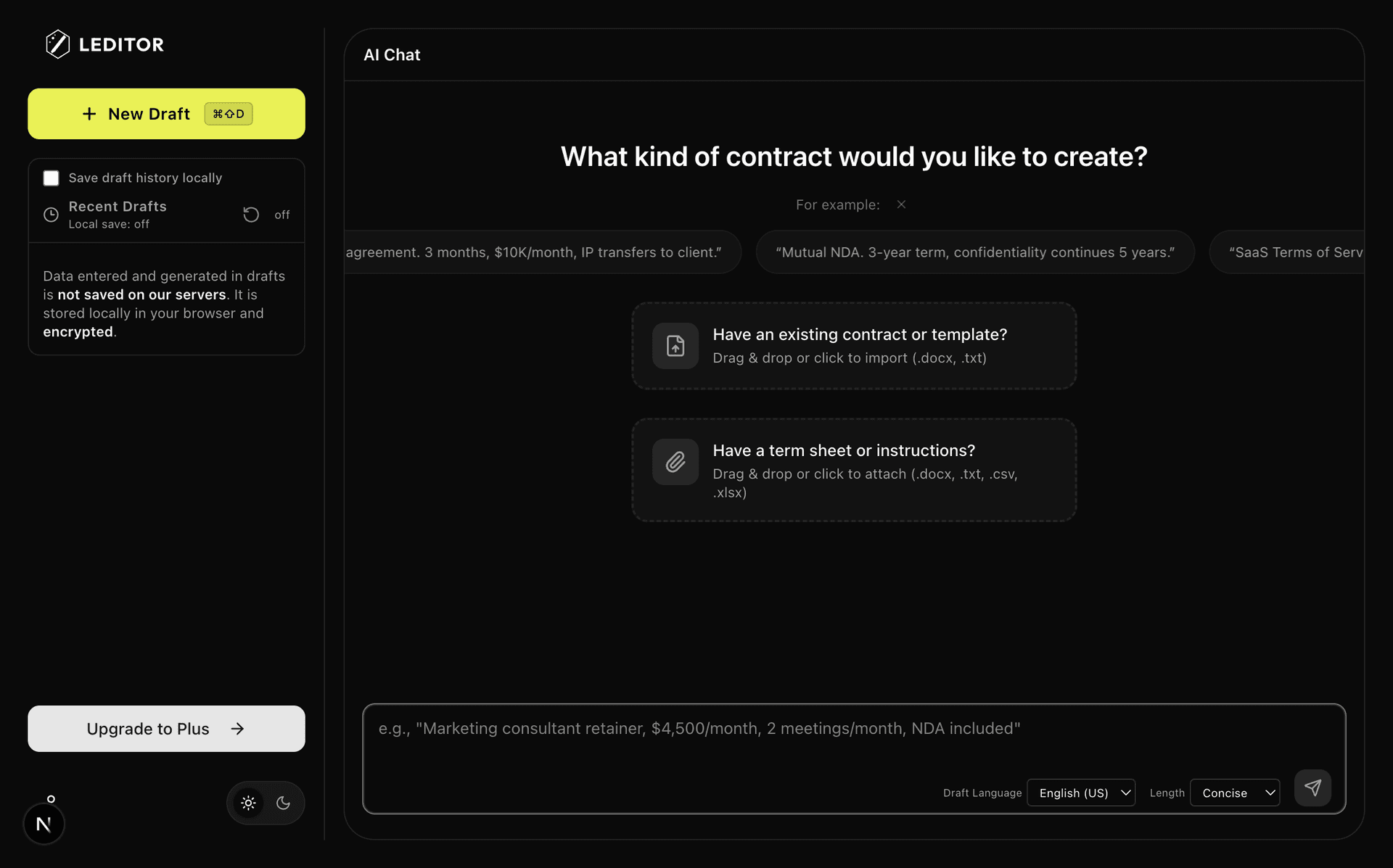
Describe Your Contract
Tell us what you need in plain English
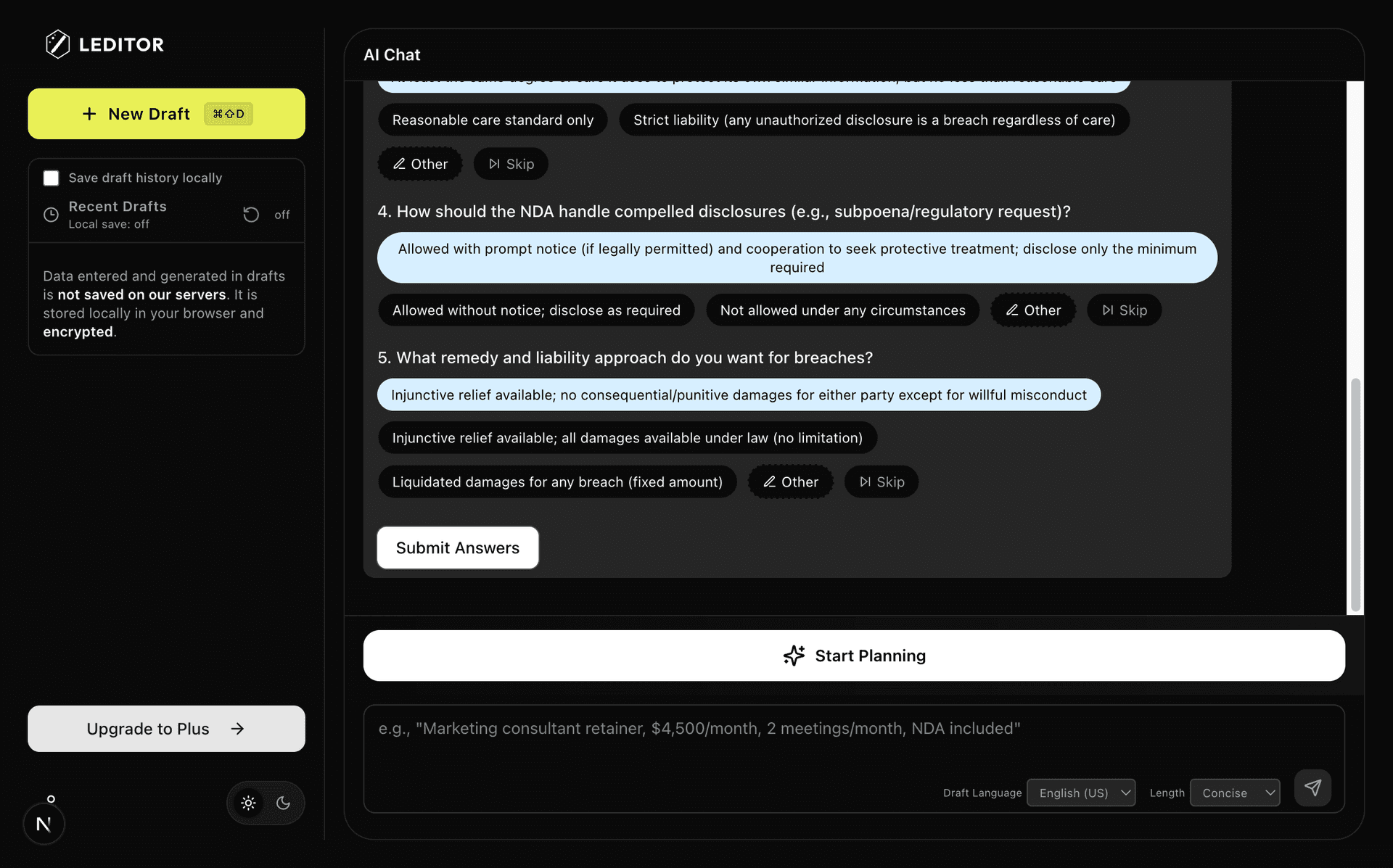
Answer AI Questions
AI asks smart questions to capture details
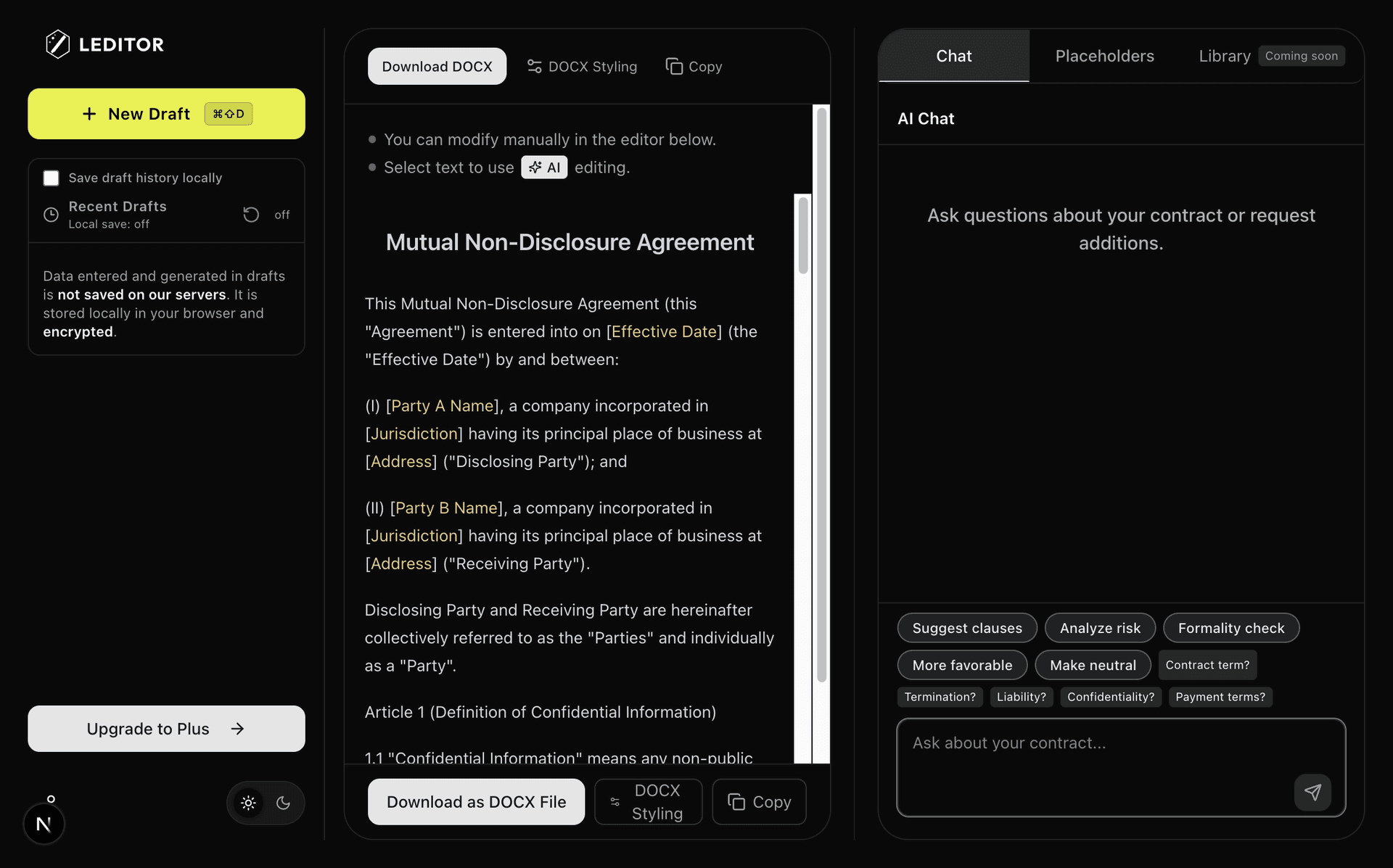
Review & Export
Edit inline and download as DOCX
New — Now on Claude via MCP. Connect Lamicus tools from Claude Desktop, Cowork, or Code
Built for Contract
Drafting
AI-First Workflow
Built from the ground up for AI collaboration. Designed specifically for contract drafting.
Intelligent Q&A
AI asks questions to capture details. You provide context, it drafts accordingly.
Comparison
Instead of drafting from scratch, you can upload your templates or existing contracts. The AI refines them and lets you download a Word comparison
Clause & Template Library
Save individual clauses or entire contracts as reusable templates — from past Lamicus drafts, imported .docx files, or manual input. Reuse them anytime; AI integrates them seamlessly and swaps proper nouns for placeholders.
Playbook
Set preferred conditions and fallback positions per contract type. AI follows your playbook throughout drafting, revision, and analysis.
Claude Integration (MCP)
Connect Lamicus to Claude Desktop, Cowork, or Code via MCP. Review contracts, suggest improvements, and apply playbooks — directly from your AI assistant.
Professional Export
Export DOCX documents with customizable fonts, spacing, and indentation. Comparison with imported documents available.
Your Data, Your Control
All data entered and generated during the drafting process is immediately deleted from our servers. Never stored, never used for AI training.
Mobile Ready
Draft and edit contracts on the go. Full functionality on tablet and phone—no app install needed.
Works with
Claude
Connect Lamicus to Claude via MCP — run contract review, improvements, and your playbooks without leaving the chat.
Setup Guide
Choose Your Client
Lamicus works with Claude Desktop, Claude Cowork, and Claude Code.
Connect
Add Lamicus as an MCP integration using the URL below.
Say 'Use Lamicus'
In any conversation, say "use lamicus" to activate contract review, improvement suggestions, and more.
https://www.lamicus.com/api/mcp/mcpSettings → Integrations → Add custom connector → paste the URL above.
How It
Works
Create
Describe what you need, or import an existing document. AI asks questions, builds a plan, and generates your draft.
Refine
Chat with AI to revise clauses, run one-click actions like risk analysis, or select any text and let AI rewrite it.
Export
Download as a Word document with customizable fonts, spacing, and indentation, with an optional comparison against the imported document.
QUICK GUIDE
Get Started in Minutes
Choose what you want to do. We'll show you how.
Choose contract type
Select from NDA, SaaS Agreement, Service Agreement, and more. Or describe your own.
Answer AI questions
Lamicus asks targeted questions about parties, terms, and key conditions to capture your intent.
Review & export
Get a professional contract draft. Edit in the rich text editor, then export to DOCX.
Try Lamicus Early
We're inviting a small group of early users to try Lamicus and help shape where it goes. Request access and we'll get you set up.
Questions
Any type—NDAs, service agreements, licensing deals, employment contracts, and more. Describe what you need and the AI adapts.
Yes. All data entered and generated during the drafting process is immediately deleted from our servers upon completion.
Yes. Exported documents are fully compatible with Microsoft Word, Google Docs, and other standard word processors.
Yes. Upload a template, revise it with AI assistance, and download the final draft as DOCX—with an optional comparison view against the original template.
Yes. Import your document, then use chat commands, one-click quick actions, or select specific text for AI-powered rewriting. Export the result as DOCX with an optional redline comparison against the imported original.
A Playbook lets you define preferred conditions and fallback positions for each contract type. Once set, AI uses it throughout the entire workflow — guiding questions, shaping clauses, and flagging deviations. You can create one manually or generate it from past drafting sessions or existing contracts.
MCP (Model Context Protocol) is an open standard that lets AI assistants connect to external tools. Once connected, Claude (Desktop, Cowork, or Code) can directly use Lamicus tools — review contracts, suggest improvements, apply playbooks, and more — all within your conversation. Legal knowledge curated by a practicing lawyer is automatically applied to every analysis.
Questions about
Lamicus?
Have a question about the service or anything else? Feel free to reach out.